 VX Docs
Lightning file transfer
Transfer files directly between devices with VX
Lightning file transfer (闪电文件直传) sends files directly between two devices running VX—no third-party cloud drive or cable required. This guide walks through receive on a computer, send from a phone.
UI labels in the screenshots are in Chinese; English equivalents are noted below.
Prerequisites
- Two devices with the VX client installed (for example a PC and a phone)
Steps
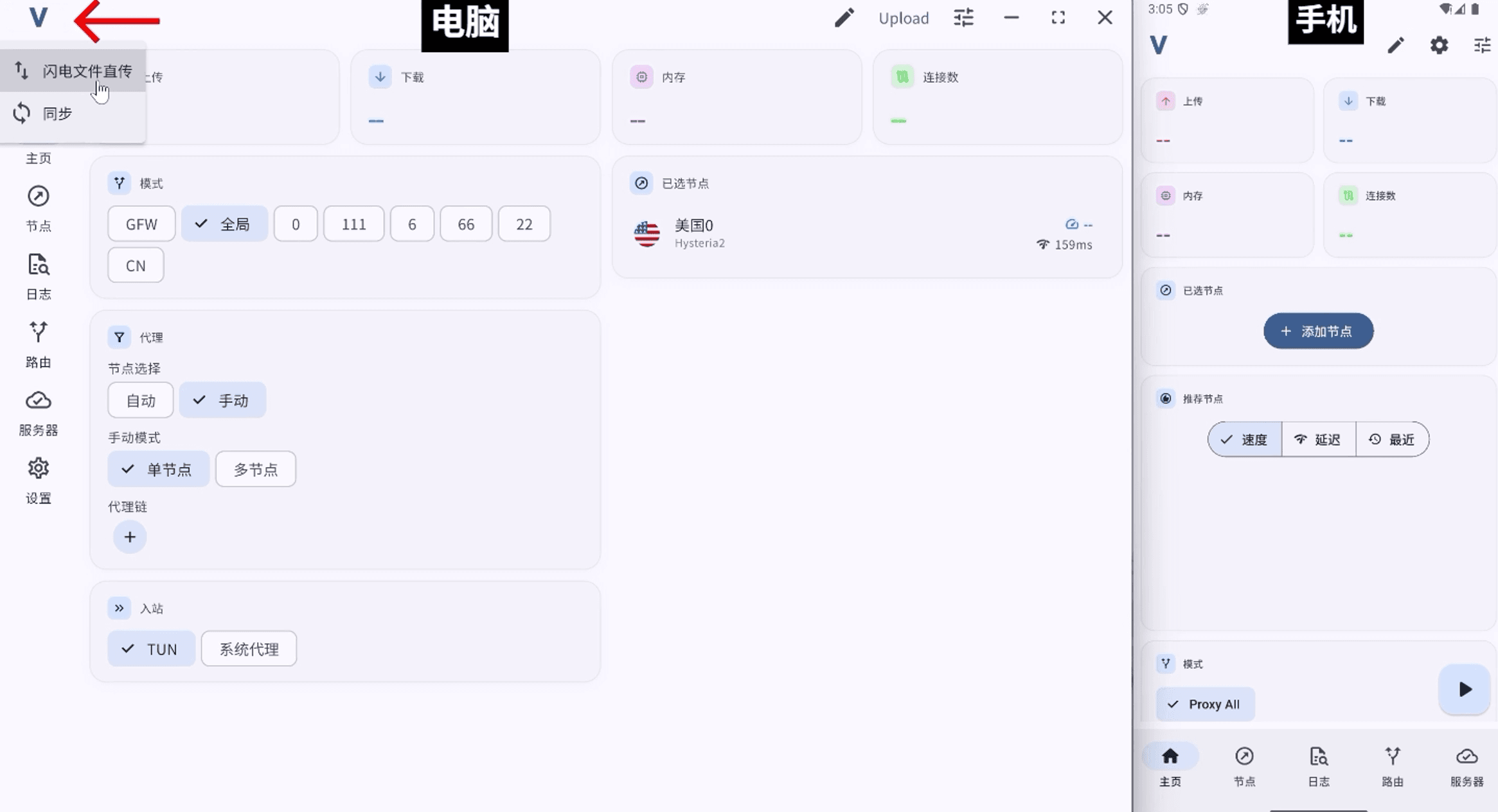
1. Open Lightning file transfer on the computer
On the home screen, tap the V logo in the top-left corner and choose Lightning file transfer (闪电文件直传).
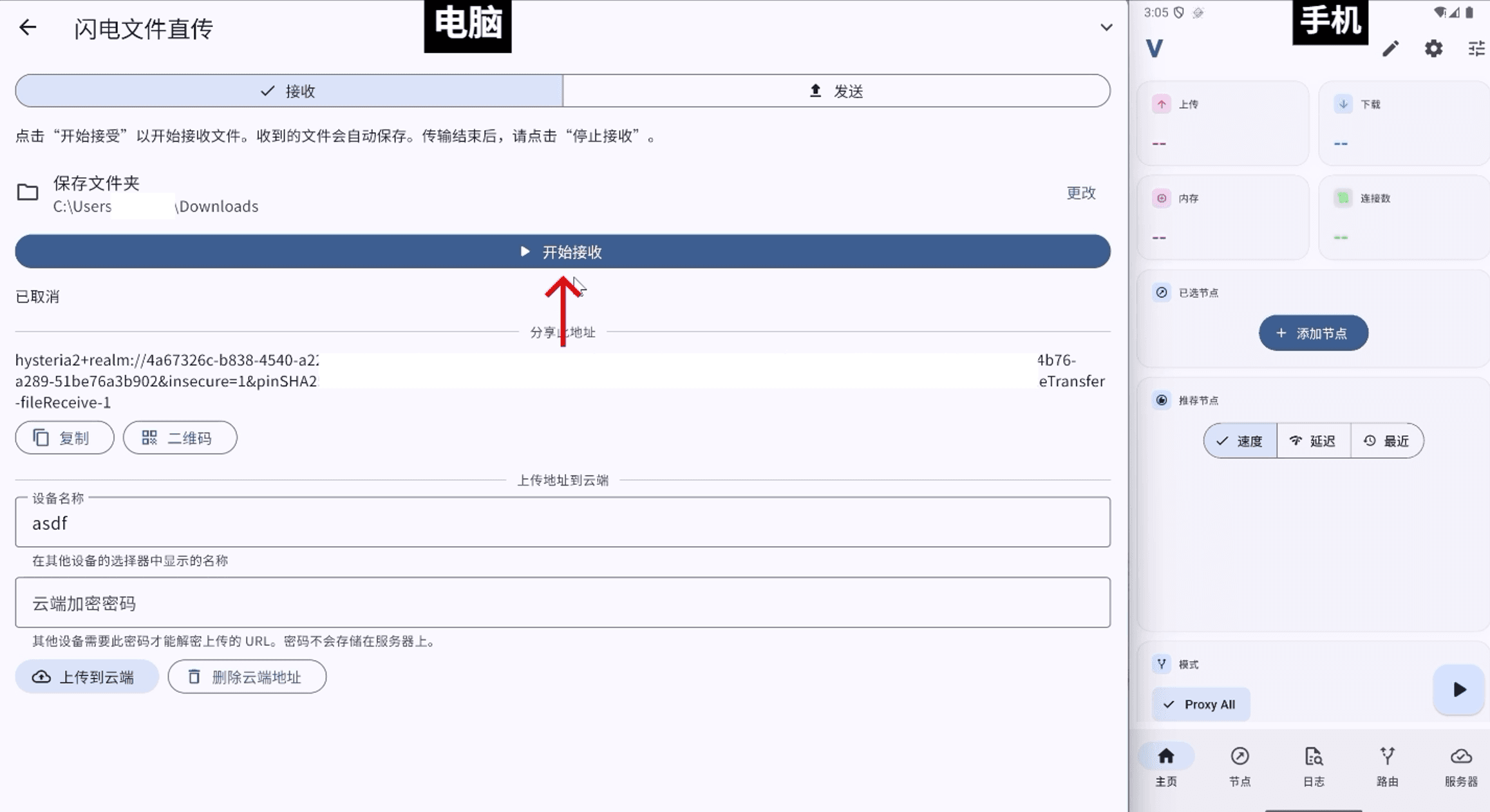
2. Start receiving
On the Receive (接收) tab, confirm or change the Save folder (保存文件夹), then tap Start receiving (开始接收).
3. Wait until the receiver is ready
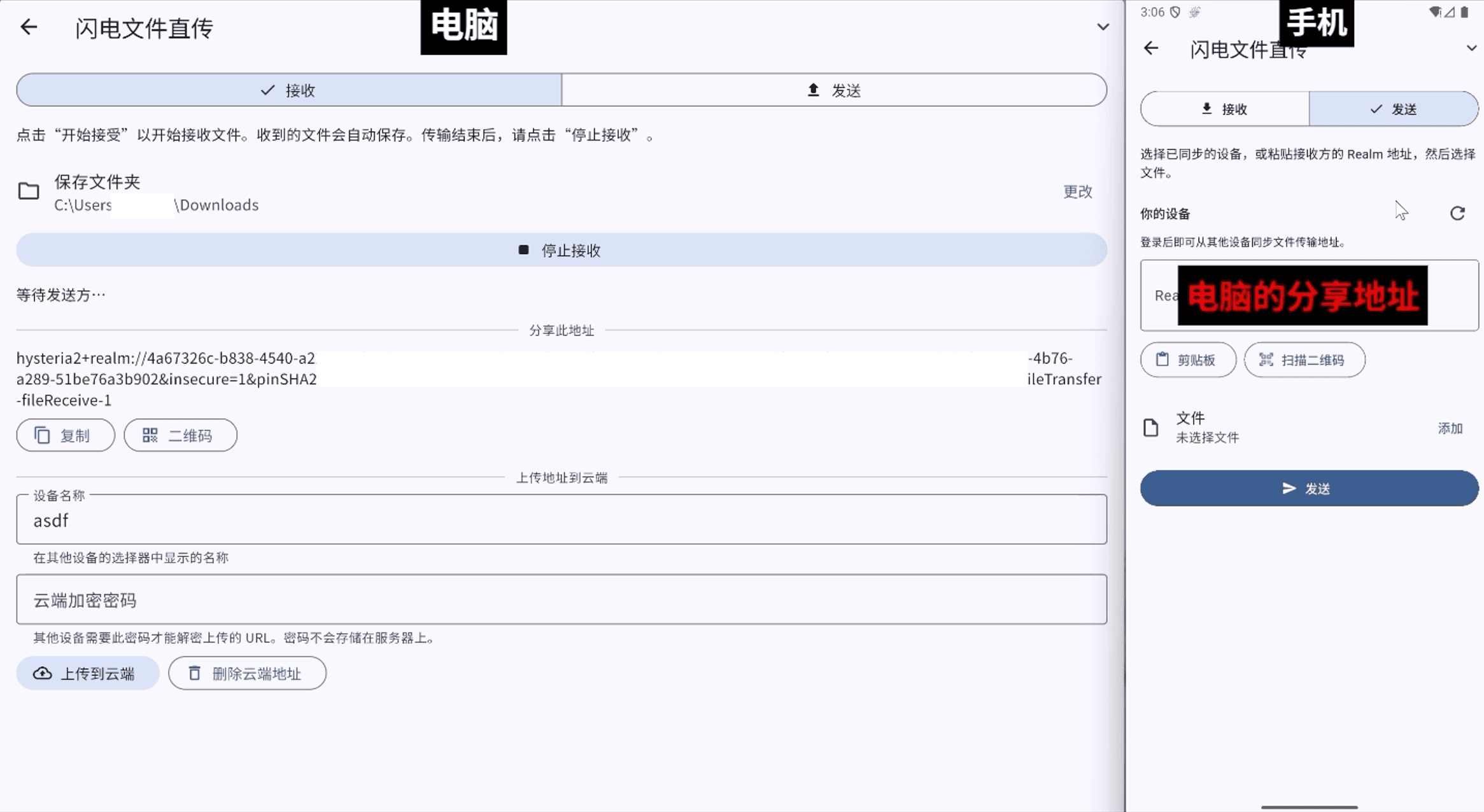
Wait a few seconds until the status changes from “Starting…” to Waiting for sender… (等待发送方…). Then Copy (复制) the share address, or tap QR Code (二维码) for the phone to scan.
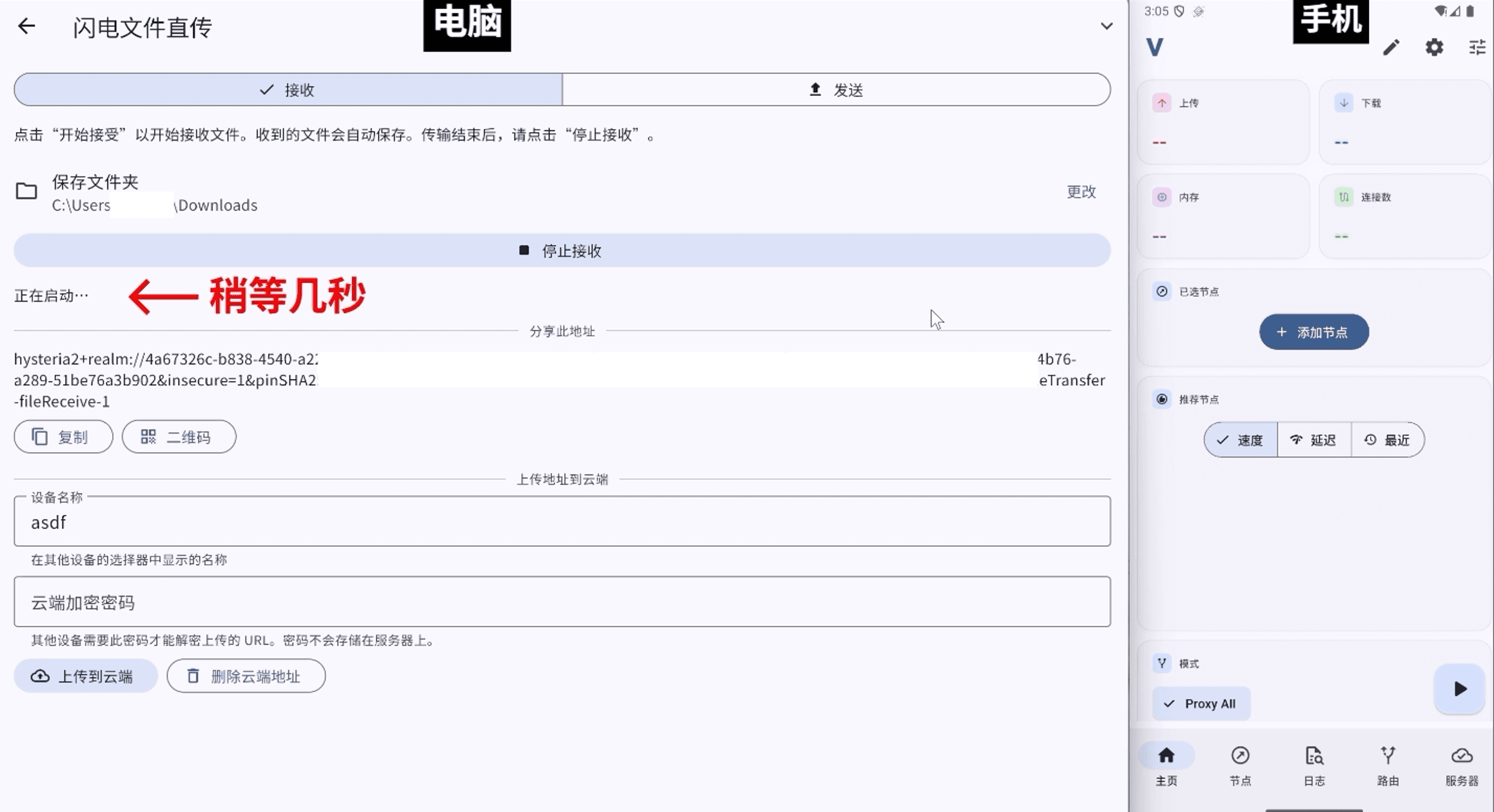
Optionally set a Device name (设备名称) and Cloud encryption password (云端加密密码), then tap Upload to cloud (上传到云端). Signed-in senders on the same account can pick the device under Your devices (你的设备) without pasting the address.
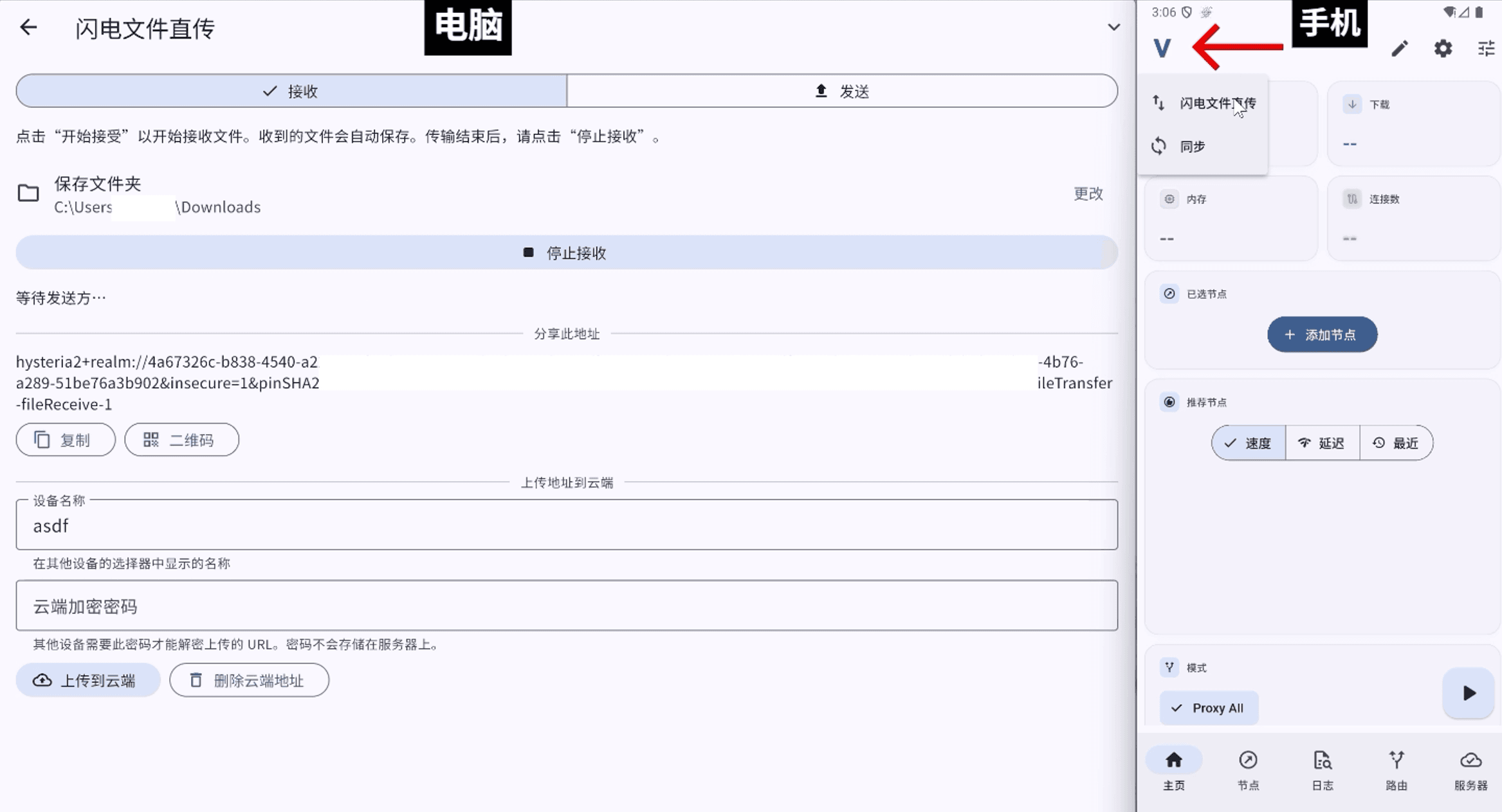
4. Open Lightning file transfer on the phone
On the phone home screen, tap the V logo and choose Lightning file transfer.
5. Enter the receiver address
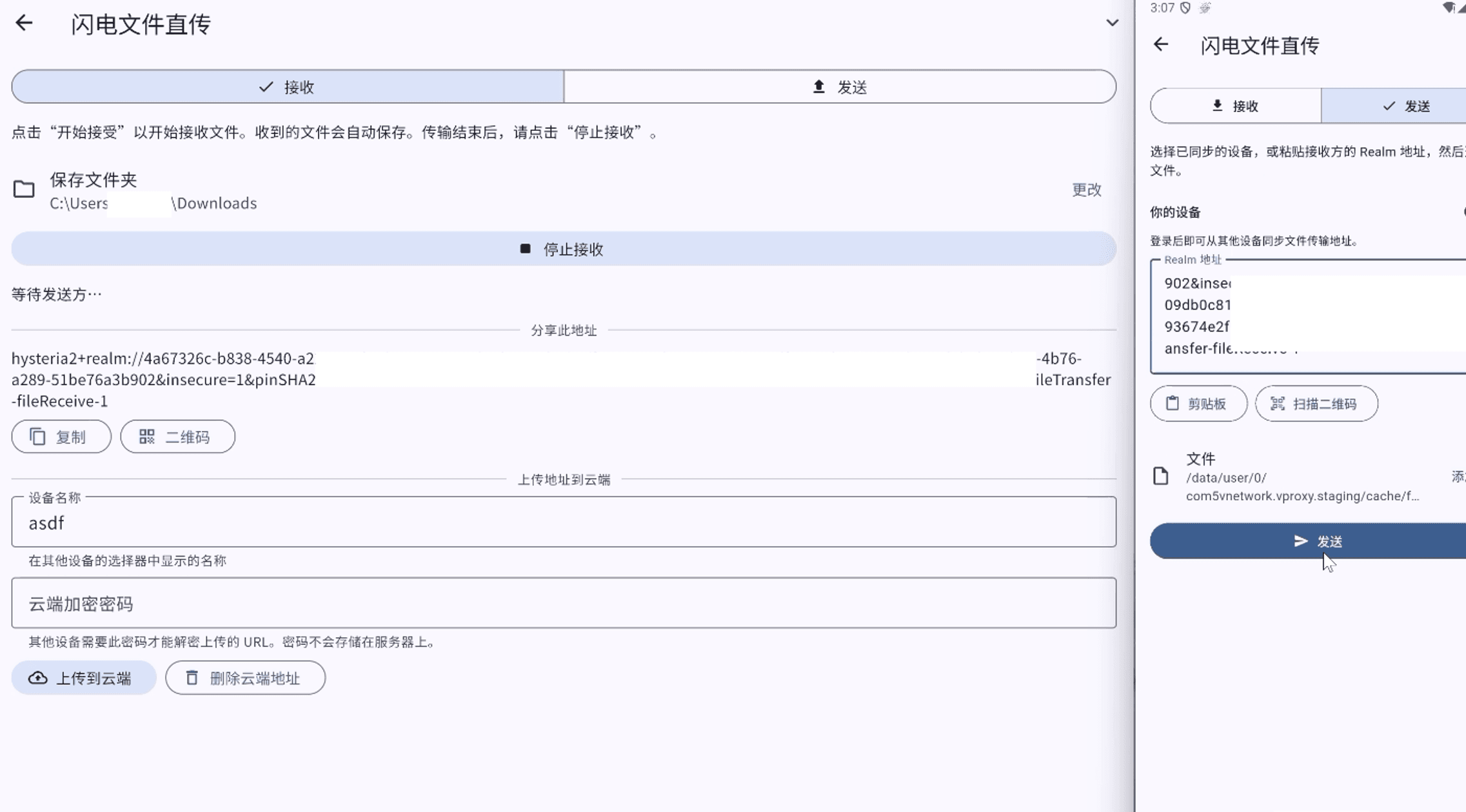
Switch to the Send (发送) tab and paste the computer’s share address (use Clipboard / 剪贴板, or Scan QR code / 扫描二维码).
6. Select files and send
Tap Add (添加) to choose the file(s), then tap Send (发送).
7. Confirm completion
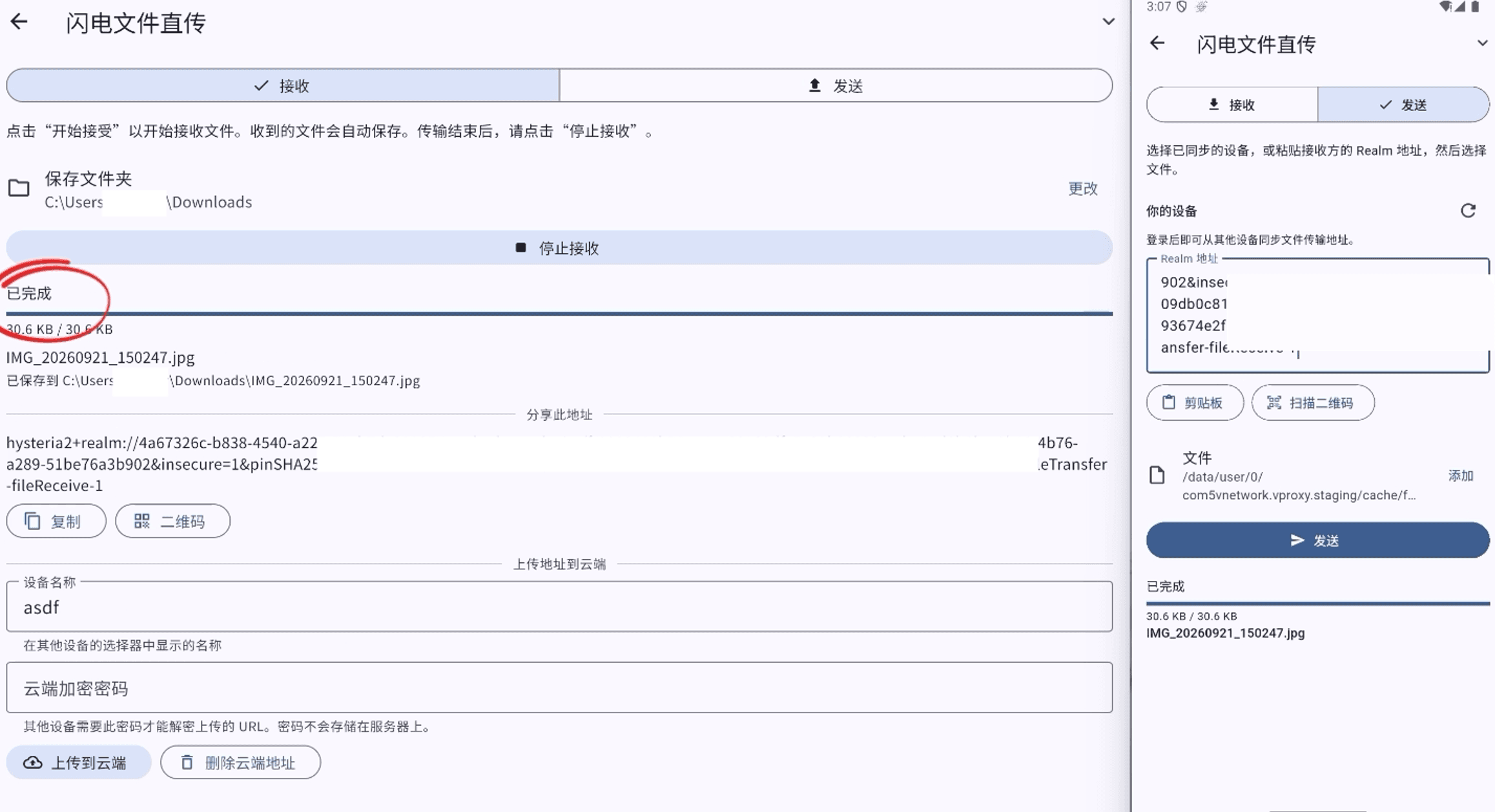
When both sides show Completed (已完成) with a full progress bar, the file is saved in the computer’s save folder. When finished, tap Stop receiving (停止接收) on the receiver.
Video
Watch the walkthrough below, or open it on YouTube.
This video is for Chinese language speakers.
Related
- VX installation — install the client first
- Backup and sync — sync nodes and settings across devices (Pro)