 VX Docs
Import a subscription
Add a proxy subscription URL to VX and refresh your node list
A subscription is a URL your provider hosts. VX fetches it periodically and turns the content into nodes you can connect to. This tutorial is for users that do not know how to import subscription into VX.
UI labels in the screenshots are in Chinese; English equivalents are noted below.
Watch the walkthrough below, or open it on YouTube.
This video is for Chinese language speakers.
Follow these steps if you prefer text and screenshots.
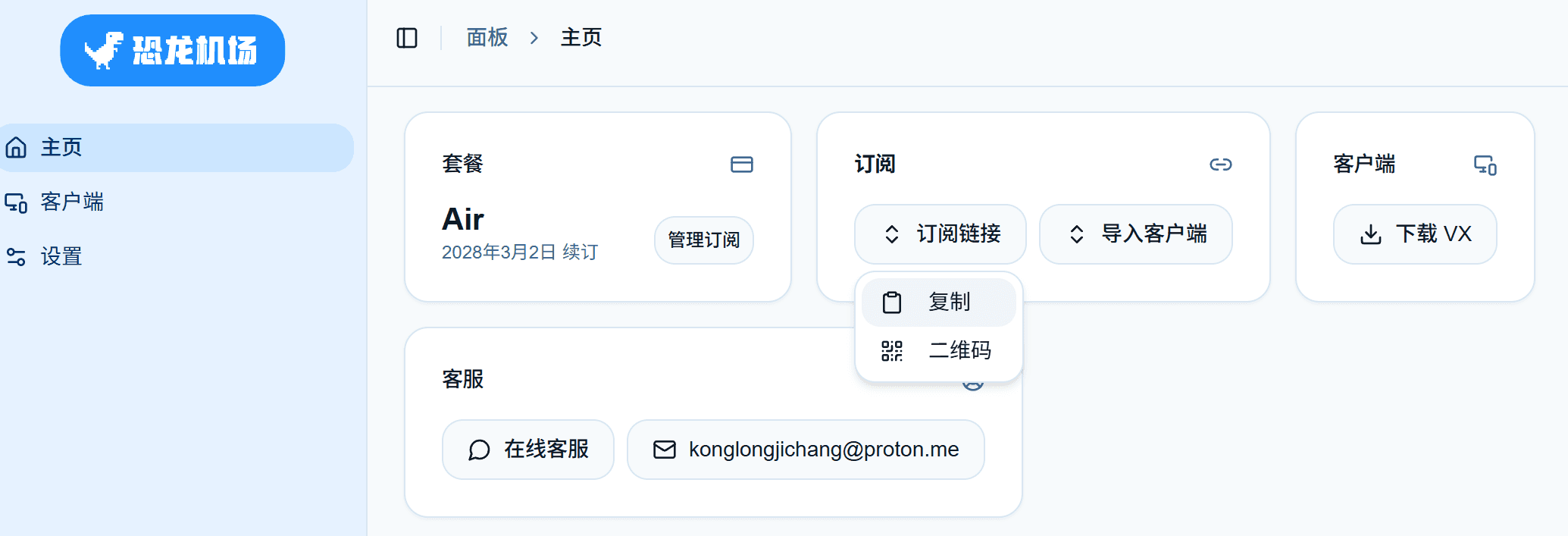
1. Copy the subscription link from your provider
Open your provider’s dashboard. Under Subscription (订阅), click Subscription link (订阅链接), then choose Copy (复制).
2. Add the subscription in VX
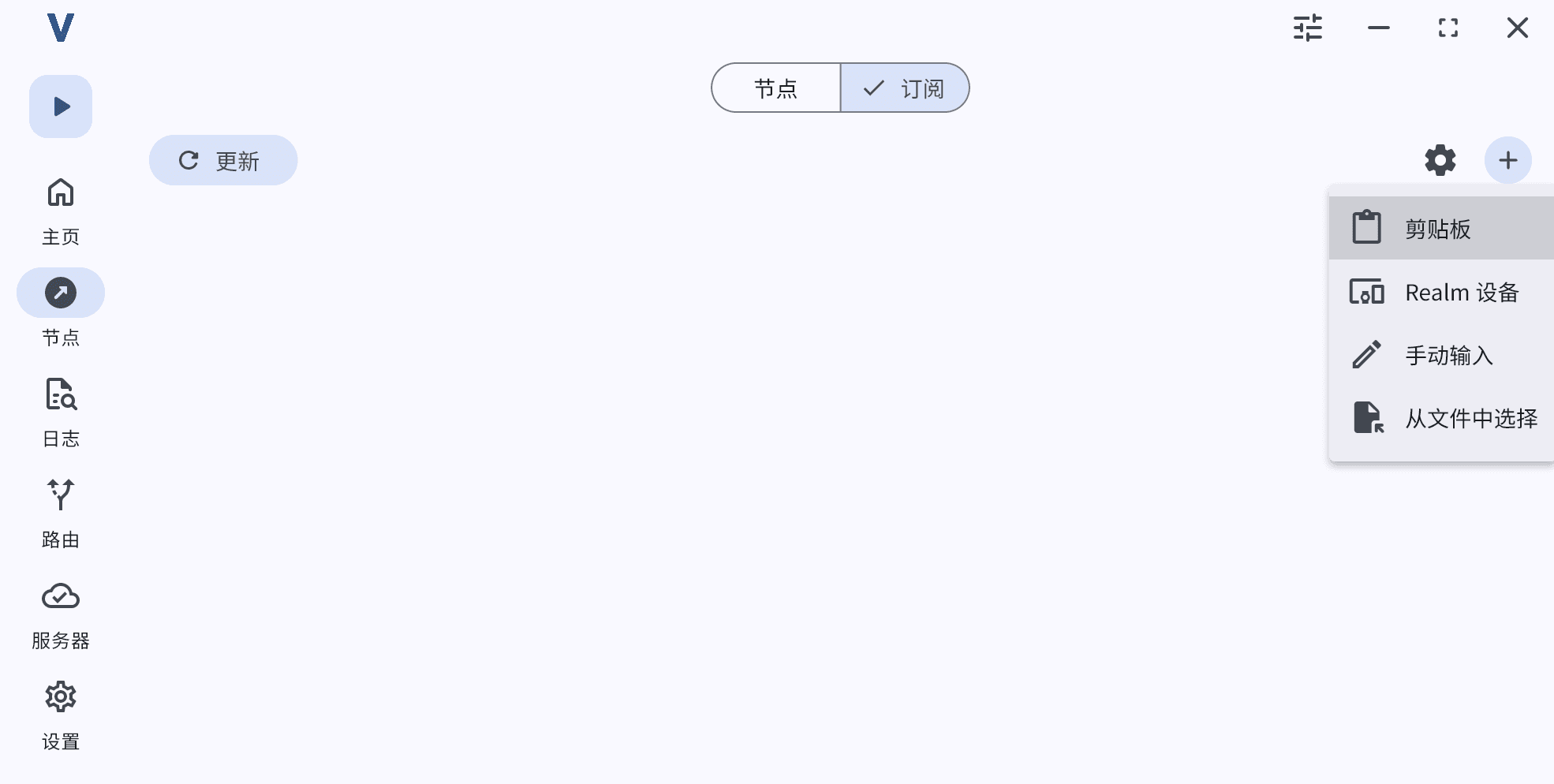
In VX, open Nodes (节点), switch to the Subscription (订阅) tab, tap +, then choose Clipboard (剪贴板).
3. Set a remark (optional)
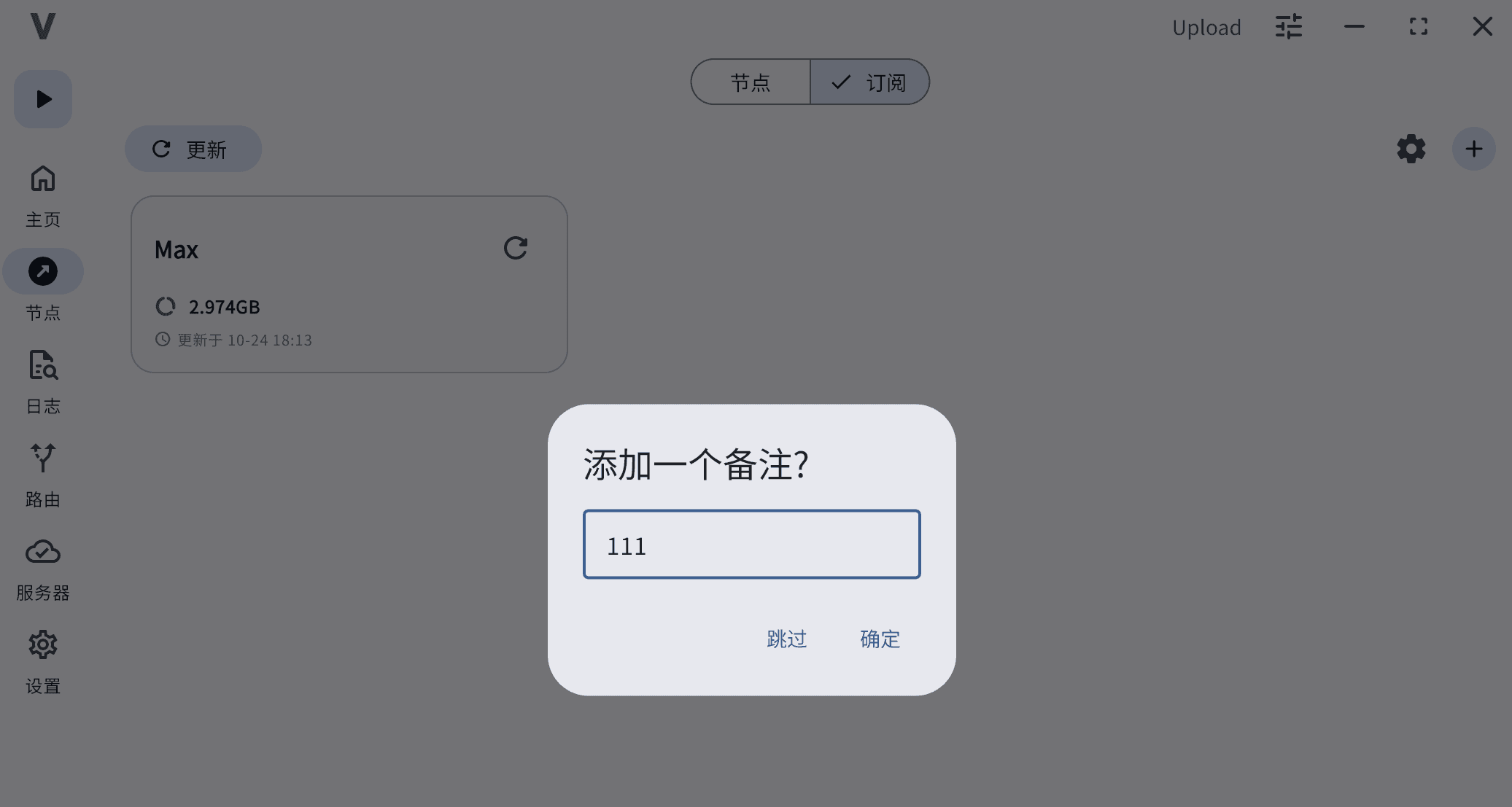
When prompted Add a remark? (添加一个备注?), enter a name for the subscription, then tap OK (确定). Tap Skip (跳过) to keep the default name.
4. Check the imported nodes
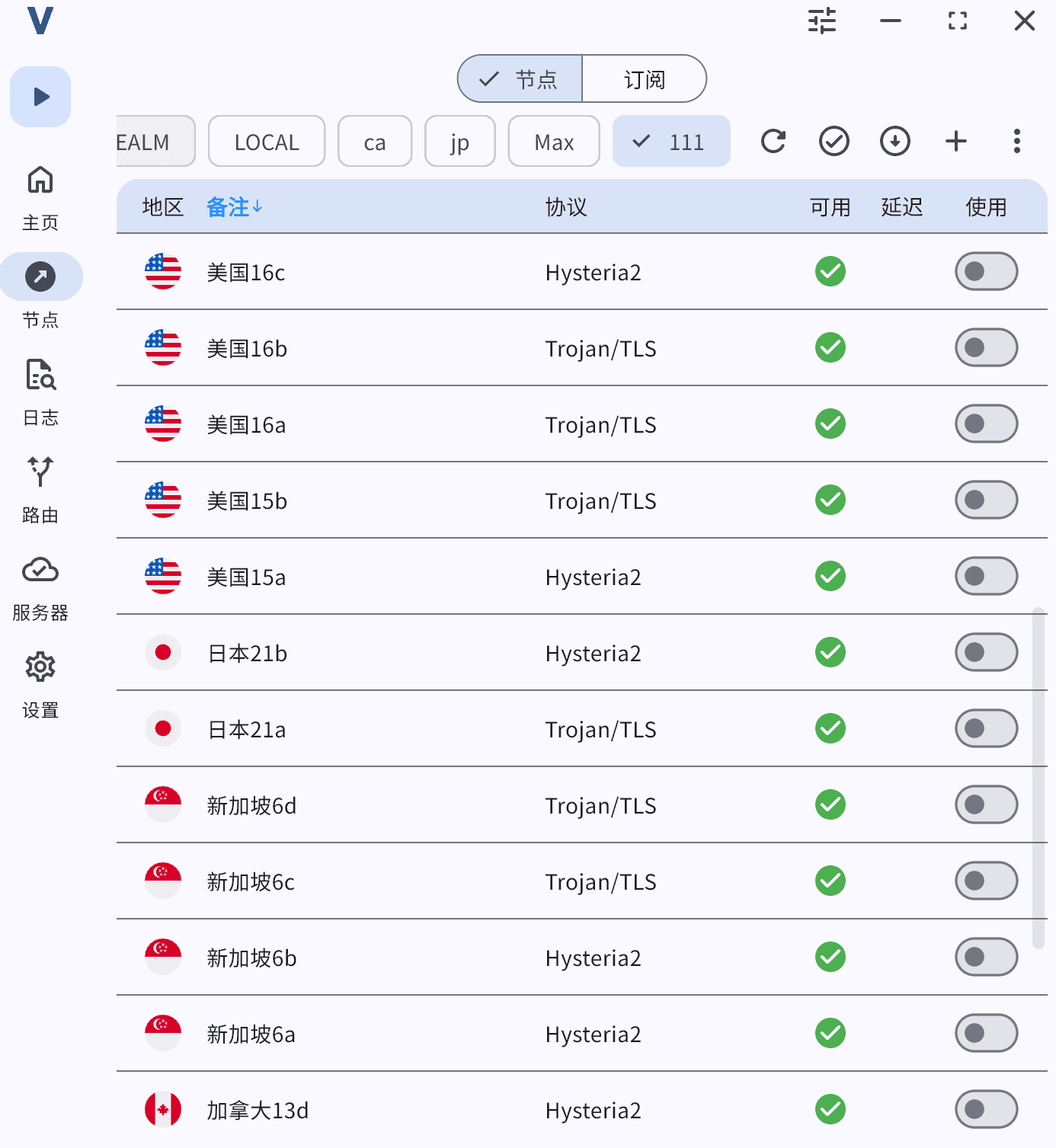
Switch to the Nodes (节点) tab. Your new nodes appear in the list (you can filter by the subscription remark).
Related
- Installation — first launch checklist
- Deep linking — one-click subscribe links for providers
- VX client overview — subscriptions and automatic updates